Sep 2026 - Present Solo build: server, client, agent, installer
App Portal
A self-service app store for managed Windows PCs: people install software an administrator approved, without admin rights, through Action1 or a SYSTEM agent I wrote, backed by an ASP.NET Core server and shipped as an MSI.
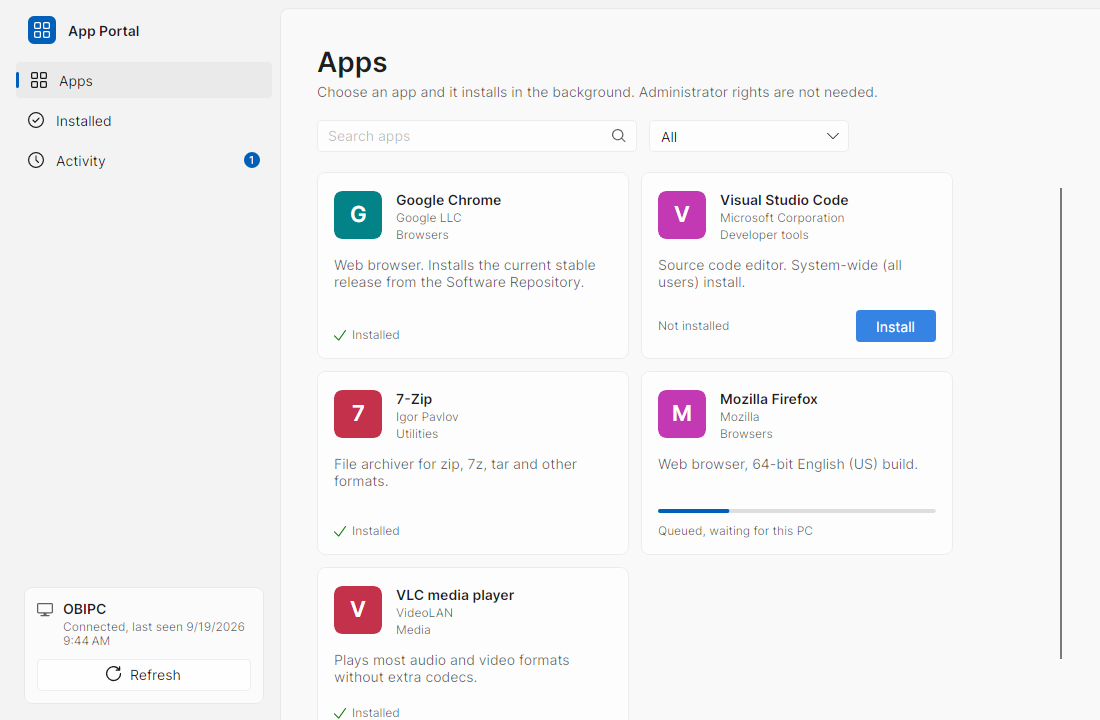
App Portal is a self-service app store for Windows PCs. People pick software from a catalog an administrator approves, and it installs without them having administrator rights. I built it for PCs managed by Action1, which has announced a self-service portal but not shipped one, on workstations where AppLocker allows only what the management agent puts in Program Files. It has three parts: an ASP.NET Core server in Docker that keeps everything in one SQLite database, an Avalonia client for the person at the keyboard, and a Windows service that runs as SYSTEM on each PC. That service is what turned it from an Action1 add-on into something a company with no RMM at all can run.
Why I built it
Action1 announced a Self-Service App Portal in October 2025 and lists it as upcoming on its roadmap. Until it ships, a locked-down workstation leaves people one option for new software: raise a ticket and wait. App Portal fills that gap. The person picks an app from a list the administrator approved, and the install runs as SYSTEM, through Action1 or through the App Portal agent.
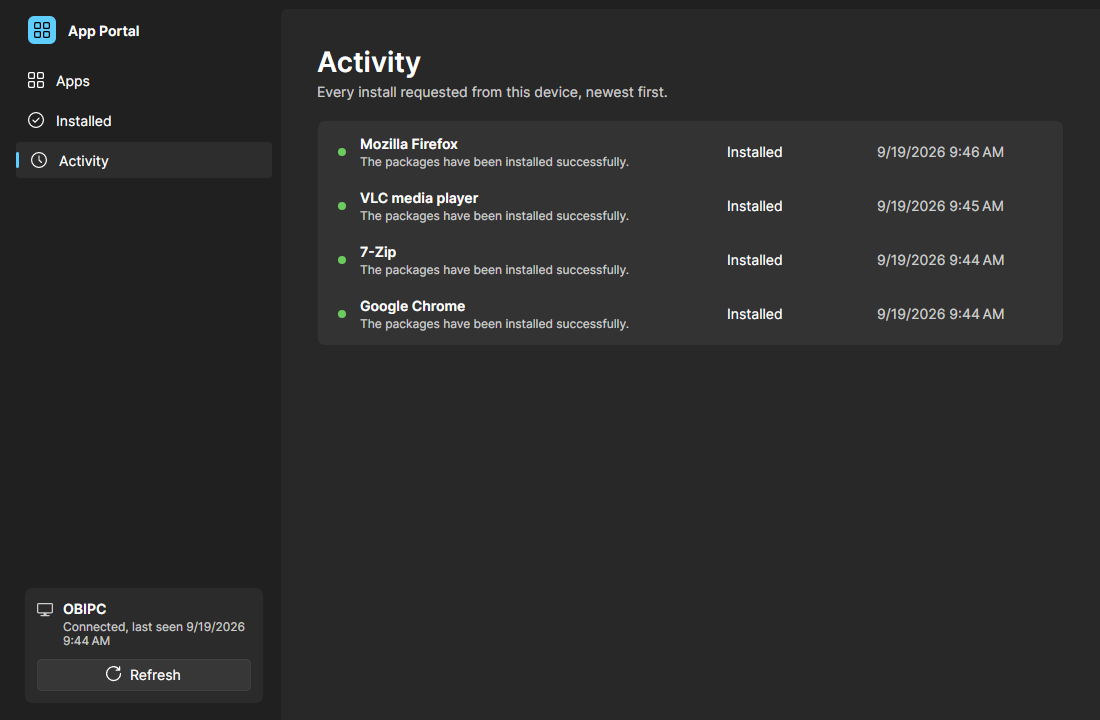
It also takes requests. Someone who needs software that is not in the catalog asks for it in the client, and an administrator approves or denies it with an optional reason the person sees. Approving never installs anything by itself. It can point the person to the catalog app that answers the request, and they install it from its card like anything else.
Three parts, two engines
The server is one Docker container holding the catalog, devices, install history, requests and administrator accounts in a single SQLite database. The client is an Avalonia app with a Windows 11 look in light and dark themes. The agent is a Windows service running as SYSTEM: it enrolls the PC, runs installs, reports installed software, and keeps App Portal itself up to date.
An install goes one of two ways. For Action1, the server maps the PC to its Action1 endpoint, resolves the package in the Software Repository, and runs a deploy automation on that one endpoint. For the agent, the server queues a job that the agent long-polls for and reports progress against. A server-wide default picks the engine, a catalog app or a device can override it, and every install records which engine ran it.
- Server
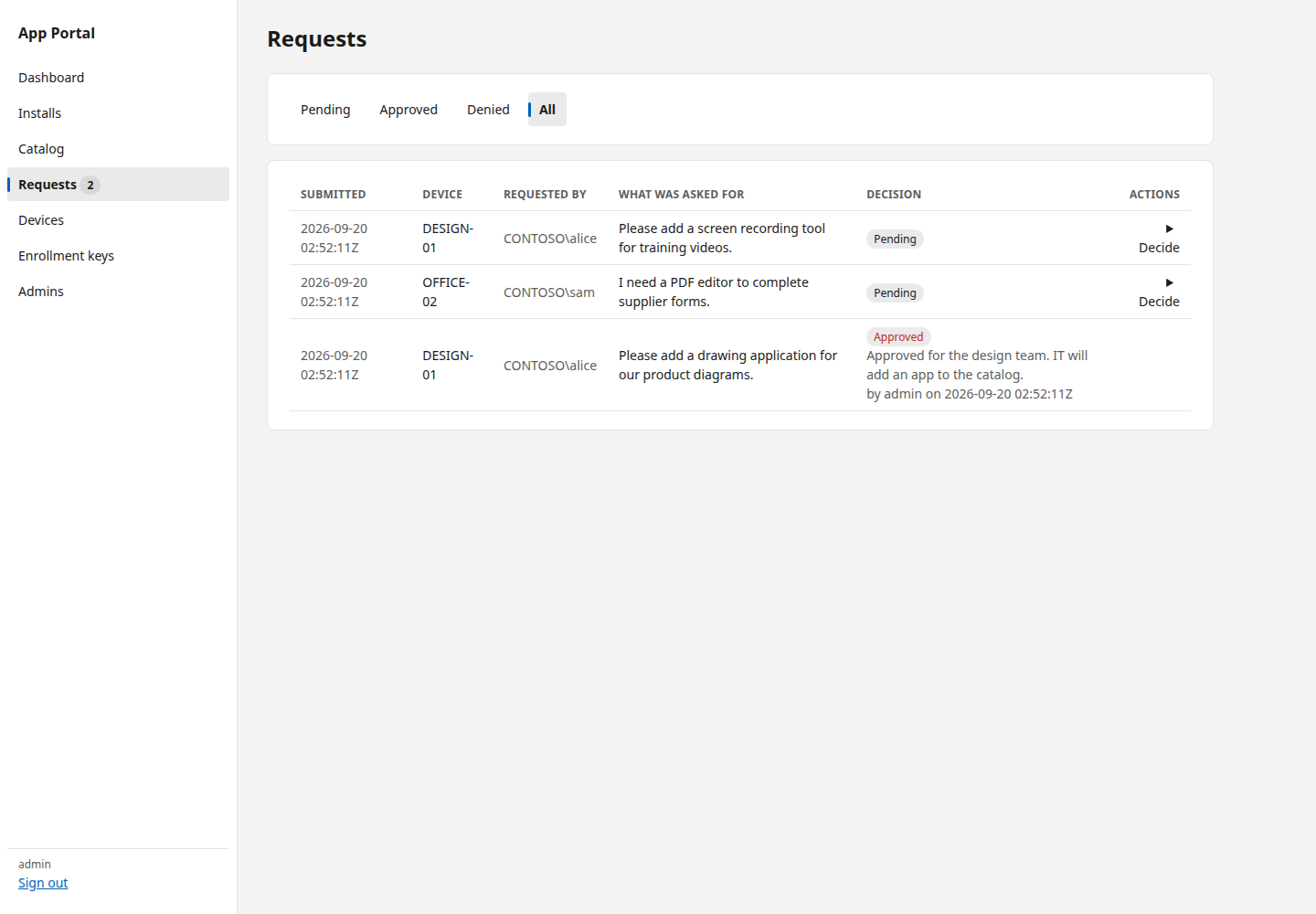
- ASP.NET Core in Docker, a Razor Pages and htmx web admin, and SQLite with 23 numbered migrations
- Client
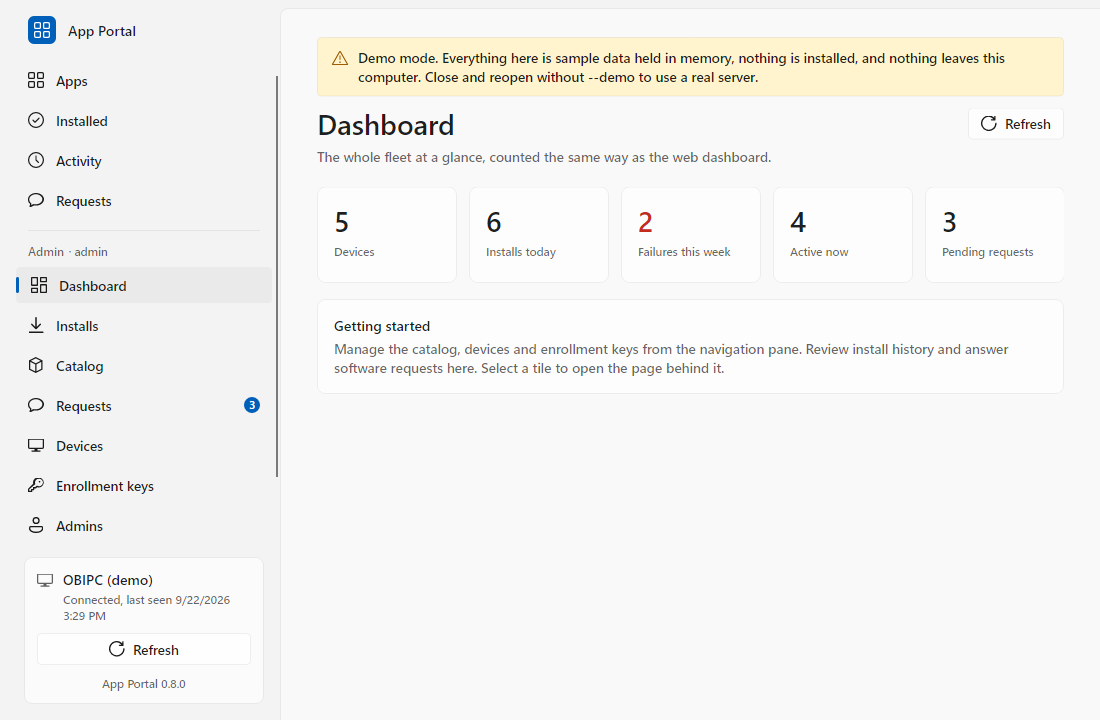
- Apps, Installed, Activity and Requests for the person at the PC, plus an Admin area that does everything the web admin does over a JSON API
- Agent
- A SYSTEM service that enrolls the PC, long-polls for jobs, installs and removes software, and applies App Portal updates
- Installer
- A WiX MSI for Group Policy, Intune or an RMM, and a four-page Setup.exe wizard for one PC at a time
Installing the way Windows installs
A Windows install is not one shape, so a catalog app says who runs it, whether a restart finishes it, and which apps must go on first. Many installers write into a user profile, so the agent runs those in the session of the person who asked, using WTSQueryUserToken and CreateProcessAsUser, and waits for that person to sign in rather than installing into a profile nobody uses. A restart is asked for, never forced. A multi-gigabyte download resumes after a dropped connection or a service restart, is checked against its SHA-256, and is cached under its own hash so a retry or a second person on the same PC does not fetch it again.
The agent installs from winget, the Microsoft Store, a direct download, a portable zip, or a game launcher, plus ten package managers driven by one table of descriptions rather than one executor each: Chocolatey, Scoop, npm, Yarn, Bun, pip, Cargo, vcpkg, .NET tools and PowerShell modules. A manager the PC lacks fails with a sentence naming it, and an administrator can list it as a prerequisite so it goes on first.
Trust, tokens and signed updates
Most of the security work is about what a leaked file or a stolen token could do, and making the answer as small as possible:
- Enrollment
- Keys carry an expiry and a use limit and are shown once. The MSI writes the key to a file only SYSTEM and Administrators can read and keeps it out of the Windows Installer log. The agent trades it for a device token and deletes the file
- Secrets at rest
- Enrollment keys, device tokens and admin session tokens are stored only as SHA-256 hashes, and admin passwords as PBKDF2 hashes
- Least privilege
- A device token reaches the catalog plus that one device's installs and requests, and cannot administer the portal or act on another endpoint. The Action1 API credential never leaves the server
- Admin sign-in
- Ten failures in fifteen minutes block the name before the password is checked, and an unknown name costs the same hash check as a real one
- Directory sign-in
- Optional Active Directory sign-in binds over LDAPS only with the user's own credentials, can pin controller certificates by thumbprint, and will not start without a required admin group
- Client session
- The client's admin token is encrypted with DPAPI for that Windows account and never written to the shared config file
Proving it on a real PC
Every release goes through a gate in GitHub Actions: a format check, build and tests on Linux and Windows, the MSI and Setup.exe built and then installed and verified on a Windows runner, and the server image smoke-tested. From 0.7.0 the gate also has the agent install a real PowerShell module as SYSTEM, see it reported as installed, and remove it again.
Tests and CI could not cover the Win32 session code, so before 0.9.0 I wrote a script that ran on Windows 11 Pro as a standard account, against the MSI the gate built. It passed all eight checks: a per-user install reported and removed as that account, two installs held for a restart and confirmed after it, and one parked until the account signed in. The proof found four defects, all fixed before the tag, including winget failing to start as SYSTEM or in a person's session.